10 Jul
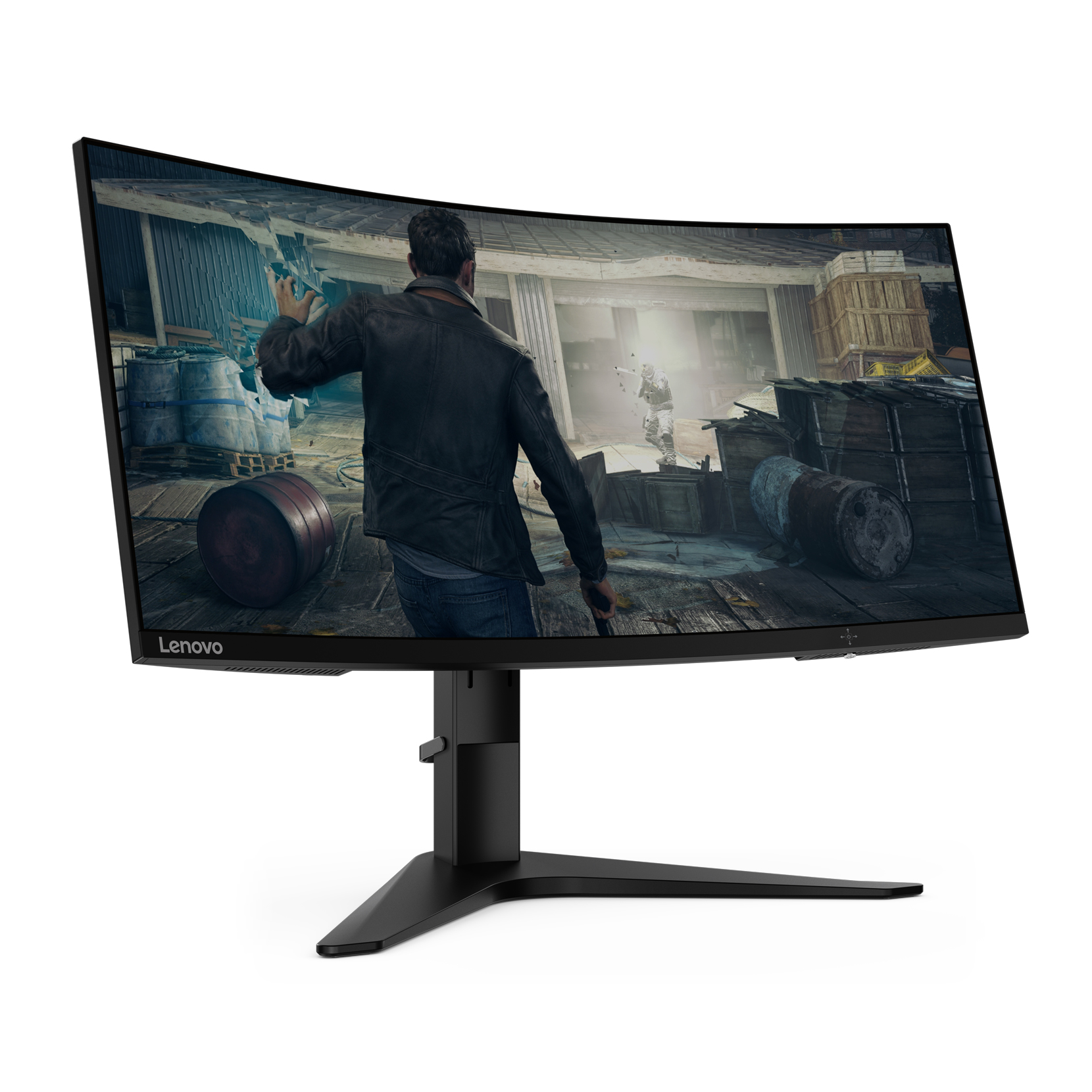
Curved monitors are easily identifiable since they encircle the viewer’s field of vision somewhat. The radius (e.g., 1800R, 1500R) used to measure this curvature indicates the curve’s degree.
Curved gaming monitors come in a variety of sizes and resolutions to accommodate a range of gaming needs and tastes.
These displays are primarily designed to replicate the way human eyes see the world, which provides a more natural viewing experience that reduces strain and increases immersion.
In this article, let’s discuss how these monitors protect your eyes and comfort.
Basis Behind Eye Strain and Discomfort
Before exploring the advantages of curved gaming monitor, it’s critical to understand the reasons behind the discomfort and eye strain that come with extended screen usage.
Eye strain, also known as computer vision syndrome or digital eye strain, is a common problem for people who spend a lot of time in front of computers.
Some of its basic symptoms are headaches, blurred vision, dry eyes, and soreness in the neck and shoulders. Several factors contribute to eye strain, including-
- Blue Light Emission: Blue light from screens can cause eye fatigue and interfere with sleep cycles.
- Glare and Reflections: Uncomfortable flat-screen reflections and bright lights can be present.
- Distance and Sitting Angle: Awkward postures and heightened eye strain might result from incorrect viewing angles and distances.
- Screen Brightness and Contrast: Long-term eye fatigue may result from excessive brightness and poor contrast settings.
How Curved Monitors Address Eye Strain
The advanced gaming monitor 144Hz can provide clear images however, curved gaming monitors offer several advantages that can help mitigate the factors contributing to eye strain:
- With curved screens, ambient light is directed away from the viewer’s eyes, reducing glare and reflections. This design contributes to making the viewing experience more pleasant, particularly in well-lit areas where reflections can be a major cause of unease.
- These displays’ curvature makes sure that every area of the screen is equally spaced out from your eyes. This consistency lessens the strain on your eyes by lowering the need for continuous focus adjustments. You must constantly change the focus, which can lead to eye fatigue because the corners of flat screens are farther away from your eyes than the center.
- Your field of vision is improved by the curved design, which makes it simpler to observe peripheral content without moving your head or eyes too much. This enlarged vision helps you minimize the risk of eye strain with less eye movement needed during extended gaming sessions.
- Diminished Emission of Blue Light A lot of curved gaming displays include flicker-free technology and blue light filters. These features help improve sleep patterns and lessen eye tiredness by lowering the quantity of damaging blue light that the screen emits.
Ergonomics and Comfort
Beyond eye protection, curved gaming monitors offer ergonomic benefits that enhance overall comfort during extended gaming sessions.
- Natural Viewing Posture
The curved shape promotes a more cozy and natural position when watching. You can keep your head and eyes relaxed because the screen fills your field of vision. It prevents you from moving them too much. This ergonomic benefit lowers the possibility of shoulder and neck aches, which are common complaints among long-term flat-screen gamers.
- Immersive Experience
You can become more fully immersed in the game environment with these monitors. This immersion lessens the physical and psychological strain that comes with extended screen time, in addition to improving your gaming experience. The less likely you are to feel uncomfortable, the more captivating and realistic the visual experience is.
- Customizable Settings
A lot of curved gaming displays provide swivel, tilt, and height adjustments. With the help of these adjustments, you can set the monitor to best fit your needs and comfort level while viewing. The likelihood of pain and tension can be considerably decreased with proper monitor positioning.
- Wider Aspect Ratios
The aspect ratios on curved monitors are typically wider, such as 21:9 or even 32:9. For gaming and multitasking in particular, the increased horizontal space offered by these bigger screens is really helpful. You do not need to adjust the screen as much, which will improve your comfort level because you can view more stuff at once thanks to the larger screen.
Comparing Curved and Flat Monitors
To fully appreciate the benefits of curved gaming monitors, it’s helpful to compare them with traditional flat monitors. Here are some key differences:
- Visual Immersion
A more immersive experience is provided by curved screens, which encircle your field of vision. Flat monitors just cannot equal the sensation of depth and realism created by this design. Flat monitors, on the other hand, offer a more conventional viewing experience that could be less captivating and realistic.
- Eye Movement
The full screen is always inside your natural field of vision with curved displays, which minimizes the need for excessive eye movement. This consistency lowers the possibility of eye fatigue. Flat monitors may require you to shift your eyes more often to see content that is near the corners of the screen, which can strain your eyes more.
- Reflections and Glare
Curved screens reduce reflections and glare more effectively by angling ambient light away from your eyes. However, the greater light reflection from flat monitors can be uncomfortable and hinder visibility.
- Viewing Angles
The curved shape of these monitors guarantees uniform viewing angles all over the screen, so there’s less need to constantly shift the focus. The viewing angles on flat monitors could be less constant, which increases the likelihood of eye strain.
The Bottom Line
With their attractive design and useful features, curved gaming displays are a major development in gaming technology. These monitors protect your eyes and make gaming more enjoyable by lowering glare, increasing immersion, and improving viewing angles. We may anticipate more advancements in display design that put user comfort and performance first as technology develops.